SEARCH W7R

Showing posts with label Java. Show all posts

Sunday, September 30, 2012

Java "Hello World" Program

w7r.blogspot.com

Traditionally, "Hello world" is the first program created in any programming language by new users to ensure they are able to compile and run their program in the given language. So I thought it'd be a good idea to post up the code for HelloWorld.java on the site for java beginners.

public static void main(String[] args){
System.out.println("Hello, World!");
}

Breaking Down The Code

System.out.println(string)
This statement (or line of Java code) informs the System to print the string (or text referred to by the variable, string) to the console (where output is displayed).
"Hello, World!"
is a string literal. String literals are text that are actually written and displayed exactly as the programmer wrote them. You could replace the text inside the quotation marks with anything you would like to be outputted to the console.

Tuesday, July 03, 2012

Java GUI Tutorials Archive

All You Need in One Location

Bookmark this resource before you forget too! This useful post contains a link to every Java GUI tutorial post on W7R Tech. Even if you have completed all of the W7R Java GUI tutorials, you can use this post refresh and expand your understanding of Java GUIs. Enjoy!


Don't forget to bookmark this resource! And make sure to subscribe to W7R Tech!

Sunday, July 01, 2012

Java GUI Tutorial 6 - JPanel as a Container

w7r.blogspot.com


JPanel as a Container

In this tutorial, a new class (extension of JPanel), MainPanel.java has been added to the source files and is going to act as a common container for all instances of the ButtonPanel we create. The ButtonPanels are able to operate independently of one another.


Saturday, June 09, 2012

Java String Methods - Length

w7r.blogspot.com

The "string".length() Method

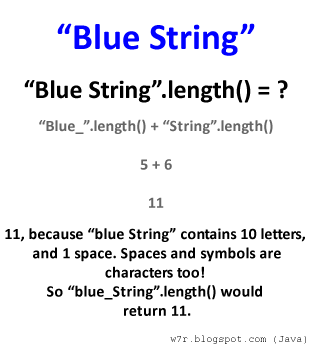
Length is a method/function used to obtain how many characters are present. These characters include spaces, punctuation, underscores, symbols in unicode, numbers and just about anything else you can think of.

For example, "iRobot" is a string that contains 6 characters, 'i', 'R', 'o', 'b', 'o', and 't'. Each character has its own index (location) in the String, in which calling "iRobot".length() will specify how many characters or spaces there are in the String.

This knowledge would be useless without an application so imagine you, a software developer, needs to ensure your clients names will fit on the screen of your newly built program. Without going through your clients one by one, you could use the length function on each one of their names in your database to find the longest name you must display. Code for this will be in example #1.

Example #1

public static void main(String[] args) {
 String[] clientNames = new String[]{
  "Jacobs", "Trout", "Semor", "Lee","Poppins",
  "Jenson", "Johnson","Peterson", "Kim", "Brown"};

 int longest = 0;

 for(String s: clientNames) {
  if(s.length()>longest) {
   longest=s.length();
  }
 }

 System.out.println("Minimum characters for display: "+longest);
}


In example #1 the length method is used to figure out which string has the most characters. It is important to realize that Strings do not have a character at someString[someString.length()] would throw an exception and terminate your program. Remember that arrays and Strings alike are indexed starting with 0.

The last character of a String can be obtained by someString[someString.length()-1].

More On Java Strings

Friday, May 25, 2012

Simple Animations with JPanel’s Paint Method

Any instance or subclass of JPanel contains a repaint and paint method. The paint method can be used to draw content such as rectangles on to the JPanel. When you paint or draw objects on the JPanel you specify information such as the location and the width and height by means of parameters. For example to draw a rectangle you may use the syntax, graphics.drawRect(x,y, width, height);

Locations of objects are managed by having variables to describe them. The variable x, and y can store coordinates of the upper right hand point of an object we would draw/paint on the JPanel. The object location variables are important because they can be altered independantly of the rest of the panel. Changes to an object or shapes location are not displayed until paint or similar methods are called. Repainting of a JPanel can be triggered by minimizing and restoring the window that contains the JPanel.

By incrementing x or y variables the position at which a component is drawn will change. The old image is not wiped clean by the repaint or paint method implicitly. To repaint only the new image at its new location without leaving an imprint of the old one, you must repaint the background like so:
  1. Update x and y variables
  2. Repaint background
  3. Repaint the object with its new x and y values
In the following program two shapes, one rounded rectangle, and one oval are repainted to simulate movement on the computer screen. In this program sample the past images of the shapes are not removed. I did this to show you that cleaning of old drawings is not implicit with the repaint and paint method.
import java.awt.Color;
import java.awt.Graphics;
import java.awt.Graphics2D;
import java.awt.event.ActionEvent;
import java.awt.event.ActionListener;

import javax.swing.JFrame;
import javax.swing.JPanel;
import javax.swing.Timer;

/*
 * W7R.blogspot.com
 * Brian R. H.
 */

public class MyPanel extends JPanel implements ActionListener{
 int ovalX=400,ovalY=400,ovalWidth=50,ovalHeight=30;
 int rectX = 200, rectY = 200, rectWidth = 20, rectHeight = 10;
 int rectDx=10,  rectDy=0; //change in Y
 int ovalDx=-20, ovalDy=0; 

 //        1 tick/second
 Timer clock = new Timer(1000,this);

 MyPanel(){
  setSize(800,600);
  clock.start();
 }
 @Override
 public void paint(Graphics g){
  //  paint occurs when the method repaint() is called (see actionPerformed method )
  Graphics2D g2d = (Graphics2D) g;
  g2d.drawRoundRect(rectX, rectY, rectWidth, rectHeight, 10, 10);
  g2d.setColor(Color.blue);
  g2d.drawOval(ovalX, ovalY, ovalWidth, ovalHeight);
 }
 public static void main(String[] args) {
  JFrame j = new JFrame("Title");
  JPanel p = new MyPanel();
  j.setContentPane(p);
  j.setSize(800,600);
  j.setVisible(true);
  p.setVisible(true);
 }
 private void updateVectors() {
  rectX+=rectDx;
  rectY+=rectDy;
  ovalX+=ovalDx;
  ovalY+=ovalDy;
 }
 @Override
 public void actionPerformed(ActionEvent arg0) {
  repaint();
  updateVectors();
 }
}

Friday, January 20, 2012

Who Knew Random Took So Much Thought

If I asked you to give me a random number within 1 to 100 from the top of your head what would you pick?
Would your pick be completely random? If you kept asking yourself for random numbers between 1 to 100 chances are you will repeat numbers several times before even reaching your 50th "random" number. If our brain is not able to respond randomly, do you think randomness exists in nature at all? 


Surprisingly, true randomness is arbitrary (made up) just as much as numbers are themselves. Randomness is a way of describing something that is "completely" unpredictable. Sadly, nothing can be completely unpredictable, or perfectly just, because in nature we experience patterns, sometimes clear ones like the stems of plants and other times obscure ones like the orientation of the mushrooms relative to one another after a light rainfall. The patterns that govern our world are infinitely big, so there is no saying that any human will live to see the completion of some patterns that exist as a function of time.

Why would I or you, a tech enthusiast, a student, or a professional care about the randomness in nature? It is because successful programs, algorithms, and other functions that simulate the real world need to be able to be as close as possible to our theoretical values that have been proven time and time again. Probability for one, is extremely important to the fields of computer science, math, and engineering (of course there are many more fields too) because the products of technology solve problems based on theoretical representation of real life variables.

So, the reason I have been indulging in the thought of randomness is mainly because I have been programming my own version on Tetris in Java code and have realized the inaccuracy in the random function of the Math class. Basically, programming languages cannot generate random numbers without following some pattern or algorithm which means that they are slightly predictable and unusual. By unusual I mean that I may have five blue tetrominos (one of seven of the tetris pieces) in a row, "randomly." The chances of that occuring are (1/7)^(5) * 100 %. I did the math for you: 0.0001214265% chance of that occurring. As a stern programming I wanted to fix this ASAP, well lets say ASAP did not come as soon as I wanted. Turns out the "Math.random()" command generates a psuedo-random number which has poor acurracy as far as random goes. Math.random() would be sufficient for many programs, but in tetris if the pieces are being distributed unevenly, then each game will be more or less fair depending on how the beginning value the psuedo-random algorithm uses.

I wanted to have a little experiment or two, so I did. Here is my code for checking how the random values have been. And don't worry, I'll do my best to explain each step in lines of comments (comments follow double forward slashes //). And the class this was used in I called GameStats. GameStats has a


public static void printPieceStats() {
        int total = pieces[0]+pieces[1]+pieces[2]+pieces[3]+pieces[4]+pieces[5]+pieces[6];

        System.out.println("\nL_PIECE (blue): "+pieces[0]+"   |  Percent: "+((pieces[0])/(double)total)*100+"%");
        System.out.println("J_PIECE (orange): "+pieces[1]+"   |  Percent: "+((pieces[1])/(double)total)*100+"%");
        System.out.println("I_PIECE (teal): "+ pieces[2]+"   |  Percent: "+((pieces[2])/(double)total)*100+"%");
        System.out.println("Z_PIECE (red): "+ pieces[3]+"   |  Percent: "+((pieces[3])/(double)total)*100+"%");
        System.out.println("S_PIECE (green): "+pieces[4]+"   |  Percent: "+((pieces[4])/(double)total)*100+"%");
        System.out.println("O_PIECE (yellow): "+ pieces[5]+"   |  Percent: "+((pieces[5])/(double)total)*100+"%");
        System.out.println("T_PIECE (purple): "+pieces[6]+"   |  Percent: "+((pieces[6])/(double)total)*100+"%");

        System.out.println(total);
        //ideally each piece would be dropped 1/7 of the time.
        double ideal = 1.0/7.0*10.0;

        double[] dubs = new double[7];
        int place=0;
        for(int num: pieces) {
            dubs[ place ]= (num/(double)total)*10.0;
            place++;
        }

        //find their percent error.
        //store the percent error
        //use absolute value to stabilize signs.
        //average all of the percent errors together
        double [] percentErrors = new double[7];
        place=0;
        double errorTotal=0;

        for(double d: dubs) {
            double dub = Math.abs((d-ideal)/(ideal)*100);
            percentErrors[place]=dub;
            errorTotal+=dub;
            place++;
        }

        //errorTotal is the sum of % error of each piece which is divided by 7 to yield the average percent error.
        System.out.println(errorTotal/7);
    }

I use the value that is printed out to determine how close my program is to being completely random. I coded this method and you are free to copy and paste the code. The same method could be adapted for all kinds of applications, just follow its steps that are commented in the code.

Java's Math.random Explained!

The command, Math.random() Explained!

Math.random is an important feature of the Java programming language. It generates psuedo-random numbers which in simple terms are approximated random values.

For most applications written in Java, Math.random is upredictable enough to be considered random.

So what does the command do exactly?
Math.random() creates a value from between 0 and 1; a fraction, essentially.

See it for Yourself!
Copy and paste the following code into a main method of any java class. 

/**This will be a double value between 0 and 1. 
* The value discludes 0 and 1,
* so it is non-inclusive or exclusive
*/

//Prints a random number (0 to 1) to the console.
System.out.println(Math.random());

The Realistic Application Of Math.random()
Programmers can get integer (-1,0,2,3,4,5, ect...) values randomly by manipulating the double (decimal/fraction) value returned by Math.random().

int lowNumber = 1;
int highNumber = 6;

//This code is actually an algorithm for getting random integers by means of Math.random()!
int faceOfDice = (int)((Math.random() * 6) + 1);

//Print out the result
System.out.println("Face of die: "+faceOfDie);